
How to Play Scam With Your Friends Solo or Online
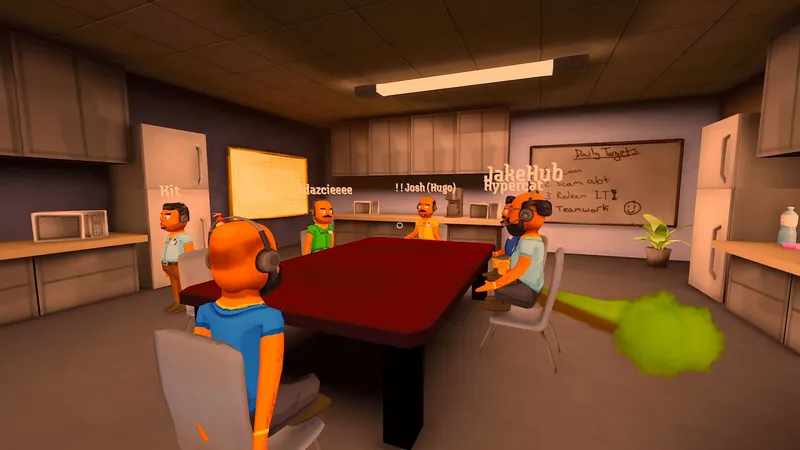
Start solo or play with friends
Choose single-player to begin on your own, or choose online co-op to play with others. Those are the two modes Steam lists.
For a group, open the online lobby screen and use the Host or Join controls shown in your installed version. Steam’s October 15 Hotfix 2 says lobbies support 1–8 players. It also confirms Join by code accepts Steam invite links and identifies invalid codes. Copy a fresh invite link from Steam and paste it into Join by code if that field is shown.
Once the workday starts, talk with fictional AI callers, use the available schemes and computer tools, and work toward the daily quota while office events interrupt the shift.
The Steam listing confirms the modes, and the publisher’s game overview describes co-op conversations and workday progression. Menu labels can change between updates, so use the labels shown by your installed version.
For current access, use the Early Access guide. To find other players and official updates, see community links. If a lobby fails or shows a version warning, use the online issues guide.
For official mode details, check the Steam listing. For access, see the Early Access guide; if the lobby cannot connect, open the online issues guide.
Sources
- [1]Scam With Your Friends on Steam — Valve / Jatater Worldwide
Official game modes and gameplay description; checked 2026-10-17.
- [2]Scam With Your Friends — Jatater Worldwide
Publisher’s description of co-op, caller conversations, quotas, and workdays; checked 2026-10-17.
Was this helpful?
Thanks for the feedback!